
Delta Executor V2 For Roblox
HENSON CONSULTING SERVICES LLCRole Playing
4.119.00 Reviews
- Version
- 5.0
- Installs
- 50.00K
- Age Rating
- Everyone
Screenshots
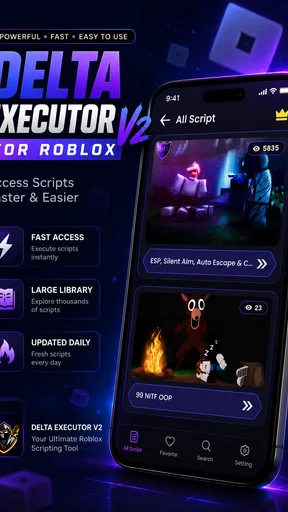
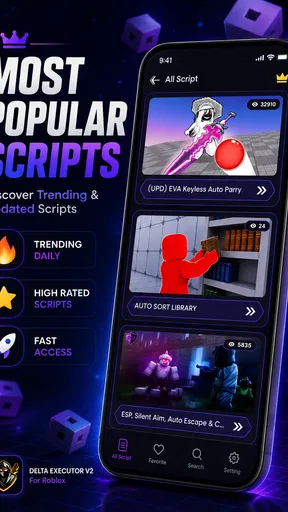
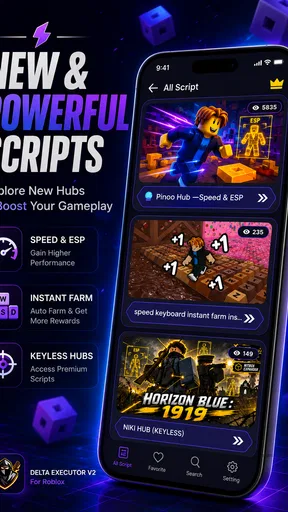
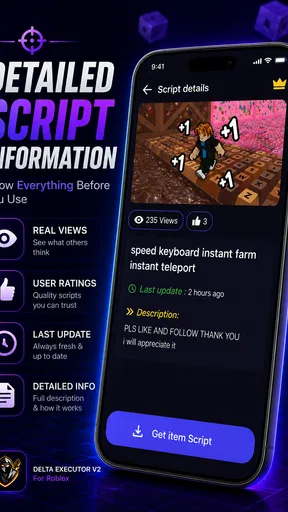
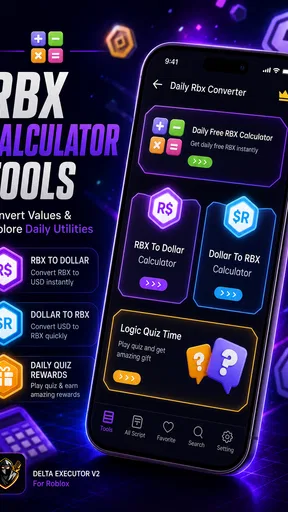
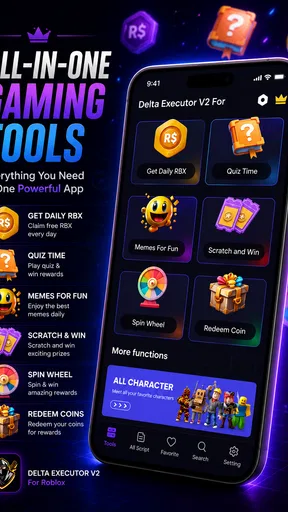
Our Review of Delta Executor V2 For Roblox
 Analysis by Appyee
I approached Delta Executor V2 For Roblox as a role-playing utility rather than as a conventional Roblox game. Its purpose is to bring together script exploration, quizzes, and gaming-oriented tools in one place, which makes the experience quite different from launching a normal Roblox title and immediately entering a world. My first impression was that the app is aimed at curious Roblox users who enjoy experimenting and learning around the platform, not only playing a single experience from start to finish.
The distinction matters because expectations can easily become confused. This is an Android game in the role-playing category, but the practical experience feels closer to a companion toolbox with interactive content. I found it most interesting when I treated it as a place to organize my exploration and test my understanding, rather than expecting it to replace Roblox itself. That mindset also makes the rough edges easier to understand.
What the app is useful for in everyday Roblox use
The developer, HENSON CONSULTING SERVICES LLC, presents a compact package built around Delta Executor scripts, quizzes, and gaming tools. In use, that combination creates three different reasons to open the app. Scripts attract users who want to explore technical or creative possibilities, quizzes provide a lighter way to stay engaged, and the tools give the app a more practical purpose than a simple information page.
I would describe the app as a starting point for exploration rather than a complete Roblox environment. If I wanted to play a polished Roblox experience, I would still use the official Roblox app. If I wanted to browse ideas, test my knowledge, or examine a utility connected with the Delta Executor concept, this app made more sense. Its value comes from the combination of small activities, not from one deep standalone game mode.
A realistic everyday scenario would be a short break after school or work. I might open the app to look through a script-related section, try a quiz, and then return to Roblox with a clearer idea of what I want to investigate. That is a better fit than sitting down expecting a long campaign, character progression, or a self-contained role-playing adventure.
The free price lowers the barrier to trying it, and the Everyone content rating makes it approachable for a broad audience. Still, younger users should understand that “Everyone” describes the app’s content rating, not every possible result of using scripts or interacting with outside Roblox content. I would encourage anyone under parental supervision to follow the same safety habits they use with other online gaming tools.
Where the first obstacles usually appear
The most common frustration is likely to come from treating every part of the experience as if it were a normal game screen. A user may expect one obvious Play button, while the app is instead divided between reference-style material, quizzes, and utilities. I found that taking a moment to identify what each section is meant to do prevents unnecessary tapping and repeated attempts.
Another point of friction is the boundary between the app and Roblox. Delta Executor V2 For Roblox may be the place where a user explores a script or tool, but it is not automatically the same thing as the Roblox client. If something does not appear inside a Roblox experience, that does not immediately prove the app failed. The two applications may have separate steps, separate sessions, or different requirements for the intended workflow.
I also recommend reading any on-screen instructions slowly instead of skipping through them. In a utility-focused app, a short note can explain whether a button opens content, copies something, starts a quiz, or moves to another screen. Rushing is especially unhelpful when a user is trying to understand which action belongs inside the app and which action belongs in Roblox.
Setup checks that save time
Before blaming the app, I would begin with the basics. The current version is 5.0, and the minimum operating-system requirement is Android 7.0. That means the first sensible check is whether the device meets the stated Android requirement and has enough free space for ordinary app operation. An older device that technically qualifies may still feel slow when switching between applications.
I would then close Roblox and the utility before starting again, especially after an interrupted attempt. A clean launch helps distinguish a temporary session problem from a repeatable issue. It is also worth checking that the device has a stable internet connection, because content that depends on loading or updating can behave differently on a weak connection than on a reliable one.
My preferred setup routine is simple:
- Open the app by itself and explore its sections before trying to connect the workflow to Roblox.
- Read the instructions attached to the specific script, quiz, or tool instead of assuming every item works the same way.
- Keep Roblox closed during the first test, then open it only when the app clearly indicates that the next step belongs there.
- Record what happened, including the screen reached and the action taken, so a later retry is controlled rather than random.
This routine is useful because it separates three possible problems: an app screen that did not respond, a device that is struggling, and a Roblox-side action that was never completed. Without that separation, it is easy to repeat the same failed sequence and conclude that nothing works.
Storage and background activity can also create misleading symptoms. If Android is aggressively stopping background apps, switching from the utility to Roblox may not preserve the expected state. I would avoid opening many demanding apps at once, especially on an older phone. That is not a special feature of this title; it is a practical way to reduce interruptions during a two-app workflow.
Recovering when a workflow stops halfway
When an attempt does not go as planned, I would not immediately reinstall everything. First, I would return to the app’s starting screen and repeat only the last confirmed step. If the same point fails twice, I would restart both applications and try once more with a simpler action. This approach makes it easier to identify whether the problem is tied to one item or to the overall setup.
A useful habit is to test one script or tool at a time. Trying several items in one session makes troubleshooting almost impossible because there is no clear cause. A single-item test also gives a more honest impression of the app’s reliability. If one section works while another does not, the issue may be local to that content rather than a general failure of the whole application.
Quizzes can serve as a convenient control test. If the quiz area opens and responds normally while a script-related section does not, the app itself is at least functioning in part. Conversely, if every section is slow or unresponsive, I would look first at the device, connection, or installation rather than assuming a particular script is responsible.
Clearing temporary app data can sometimes help with a damaged local session, but I would use that step carefully. It may remove local state or require a fresh start, so I would try a normal restart first. I would also avoid downloading random “fixes” or modified packages from unknown sources. That can introduce security risks and makes it much harder to know which software is actually causing the trouble.
If the app returns to its opening screen after an action, I would treat that as a sign to slow down and check the sequence, not as proof that the device is incompatible. Some workflows are sensitive to timing or to switching applications too quickly. Waiting for one screen to finish loading before moving on is a small adjustment, but it can prevent a partially completed action from being mistaken for a broken feature.
When the app is not the cause
Roblox itself can be the source of a problem. A game experience may change, a server may behave differently, or a particular action may not be accepted in the way a user expects. In those cases, repeating the same step inside Delta Executor V2 For Roblox will not necessarily help. I would test Roblox normally, without the utility workflow, to see whether the underlying experience loads and behaves correctly.
Account and platform conditions also deserve attention. A user may be signed out, using the wrong Roblox account, or trying an action in an experience where it has no visible effect. These are easy details to overlook when the focus is on the tool. Checking the active account and testing a familiar Roblox experience can reveal whether the issue follows the account or stays limited to one place.
Security is another reason to be cautious. Scripts and external gaming tools deserve the same care as any other downloaded software. I would never enter a Roblox password into an unfamiliar screen, share account credentials, or disable device protections simply to make a workflow continue. If a process asks for something unrelated to normal use, I would stop rather than treating that request as a required troubleshooting step.
The app’s rating gives some useful context without settling the question for every user. It holds a 4.1 average from around 655 ratings, with 19 written reviews, and has passed 50 thousand installs. Those figures suggest that people are using it, but they do not guarantee that every device, Roblox experience, or script will behave identically. I read the rating as evidence of interest and mixed individual experiences, not as a promise of universal compatibility.
How it compares with more usual alternatives
Compared with the official Roblox app, this title is narrower and more experimental. Roblox is the obvious choice for playing experiences, managing the main account, and spending time inside established game worlds. Delta Executor V2 For Roblox is more relevant when the user specifically wants a script-oriented companion, quizzes, or grouped gaming tools. I would not install it as a replacement for Roblox; I would consider it only for that additional use.
Compared with a simple browser search, the app has the advantage of putting related material in one dedicated place. That can be more convenient than jumping between scattered pages, especially when I want to move from a quiz to a tool without losing the general context. The trade-off is that a dedicated app can feel less flexible than a browser when I need broad explanations, independent comparisons, or community troubleshooting.
Compared with a standard role-playing game, it offers much less of the progression that defines the genre. There is no reason to choose it if my priority is a story, a character build, quests, or a persistent world. Its role-playing classification does not change the fact that its practical identity is a Roblox-focused utility and exploration app. That difference is important for anyone deciding whether the download matches their expectations.
I also prefer it to be judged against other companion tools rather than against large Roblox games. In that comparison, its all-in-one structure is appealing, but the experience depends more heavily on clear instructions and careful user behavior. A simpler tool may be better for someone who wants one narrowly defined task with no quizzes or extra sections.
Who should use it and who should skip it
I can recommend trying it to Roblox users who enjoy experimenting, want script-related material gathered in one app, or like mixing practical tools with short quizzes. It is also suitable for someone who does not mind a little setup and is willing to troubleshoot methodically instead of expecting instant results.
I would skip it if I only want a conventional mobile role-playing game. The app will not satisfy that need as well as a purpose-built RPG. I would also avoid it if I dislike switching between applications, reading instructions, or checking whether a result is caused by Roblox rather than by the utility itself.
Parents and cautious users should approach it as a tool connected to an online gaming ecosystem, not simply as an offline children’s game. The Everyone rating is reassuring about the listed content level, but responsible account protection and supervision still matter. I would keep personal information private and avoid any unofficial request that seems unrelated to the app’s stated purpose.
My practical verdict after using the whole package
Delta Executor V2 For Roblox is a focused, free Android utility for people interested in scripts, quizzes, and Roblox gaming tools. I like the way it gathers several related activities instead of limiting the experience to one static guide. The quizzes make the app less purely technical, while the grouped tools give it a reason to remain installed for users who regularly explore Roblox beyond ordinary play.
Its main weakness is the amount of interpretation required. New users may not immediately understand which action belongs in the app, which belongs in Roblox, and which result depends on the specific experience being tested. That is manageable when the user follows a one-step-at-a-time process, but frustrating for anyone looking for a quick, guaranteed outcome.
The app was released on April 9, 2025, and its current version is 5.0, so I would keep the installation updated through a trusted source and reassess the experience after updates. The developer is HENSON CONSULTING SERVICES LLC, and the free distribution makes a cautious trial reasonable. I would simply avoid treating the download as a substitute for Roblox or as a universal solution to every Roblox-side issue.
My final recommendation is conditional but positive: try it if you specifically want a Roblox-oriented exploration tool and are comfortable checking your setup carefully. Start with the quizzes or a single clearly explained item, confirm that Roblox works normally on its own, and keep your account details protected. If what you really want is a polished role-playing adventure, the better choice is a dedicated RPG or the official Roblox experience itself. For the right user, though, this app is a useful companion rather than empty clutter.
Verdict
Strengths of Delta Executor V2 For Roblox
- Supports script execution for customized Roblox gameplay.
- Offers a straightforward interface for accessing executor features.
- Can provide extra functionality beyond the standard Roblox client.
- May appeal to experienced users seeking advanced customization options.
- Designed for users who want to experiment with Roblox scripts.
Limitations of Delta Executor V2 For Roblox
- Using executors can violate Roblox’s terms of service.
- Your account may face warnings, bans, or permanent suspension.
- Unofficial APKs may contain malware or request risky permissions.
- Updates can break compatibility after Roblox client changes.
- Scripts from unknown sources may steal data or damage your device.
Similar Picks in This Category
View All
Hair Dye
CrazyLabs LTD4.4

Monster High™ Beauty Salon
CrazyLabs LTD4.5

Bus Simulator - Bus Games 3D
Jima Apps4.4

Flight Pilot: 3D Simulator
Wildlife Studios4.1


Super Stylist Fashion Makeover
CrazyLabs LTD4.4
Frequently Asked Questions
What is Delta Executor V2 for Roblox?
Delta Executor V2 is a third-party scripting tool designed for Roblox that claims to let users run custom Lua scripts inside supported games. It is not an official Roblox application, client, or feature, and it is generally distributed outside Google Play or the App Store. Because its operation may involve modifying or interacting with Roblox, users should understand the security, compatibility, and account-related risks before downloading or using it.
Is Delta Executor V2 safe to download and use?
Safety cannot be guaranteed for Delta Executor V2, especially when it is obtained from unofficial websites or download links. Files advertised as executors may contain malware, aggressive advertisements, trackers, or altered versions of the original software. Before installing anything, verify the source, scan files with reputable security tools, avoid disabling device protections, and never provide your Roblox password or personal information to an executor or its installer.
Can using Delta Executor V2 get my Roblox account banned?
Yes. Using third-party executors or scripts can violate Roblox’s Terms of Use and community rules. Roblox may detect unauthorized software or suspicious activity and could issue warnings, temporary suspensions, or permanent account bans. There is no reliable method that guarantees protection from detection. If your account contains valuable items, progress, or purchases, using an executor may put that account and its associated data at significant risk.
Does Delta Executor V2 work on Android, iPhone, or iPad?
Compatibility depends on the specific release, device model, operating-system version, and Roblox updates. Tools promoted as Android executors may require unusual permissions or installation methods, while iOS and iPadOS impose stricter security restrictions that make unofficial executors particularly unreliable. Many downloads advertised as mobile-compatible are outdated, fake, or bundled with unwanted software, so users should not assume that a version will work simply because it is labeled for their device.
Are there safer alternatives to Delta Executor V2 for Roblox?
For a safer Roblox experience, use the official Roblox app downloaded from Google Play or the Apple App Store and explore features supported by the platform, such as Roblox Studio on compatible computers for creating legitimate experiences. Players can also use approved in-game settings, private servers, and community resources that follow Roblox rules. Avoid executors, cheat tools, and unknown script downloads, since they can expose your device, account, and personal data to unnecessary risks.
Play our best games!


